SMTP rotation and deliverability in MailEach
One sending account doing all the work is a single point of failure — hit the provider's daily limit or get flagged, and everything stops. MailEach is built to rotate your send across several…
One sending account doing all the work is a single point of failure — hit the provider's daily limit or get flagged, and everything stops. MailEach is built to rotate your send across several accounts automatically. This guide explains how that works and how to keep every account healthy.
Why rotate sending accounts?
Every provider caps how many emails an account can send per day, and every account has its own reputation. Rotation spreads your volume so no single account is pushed to its limit, and a problem with one account doesn't take down your whole outreach.
How MailEach rotates accounts
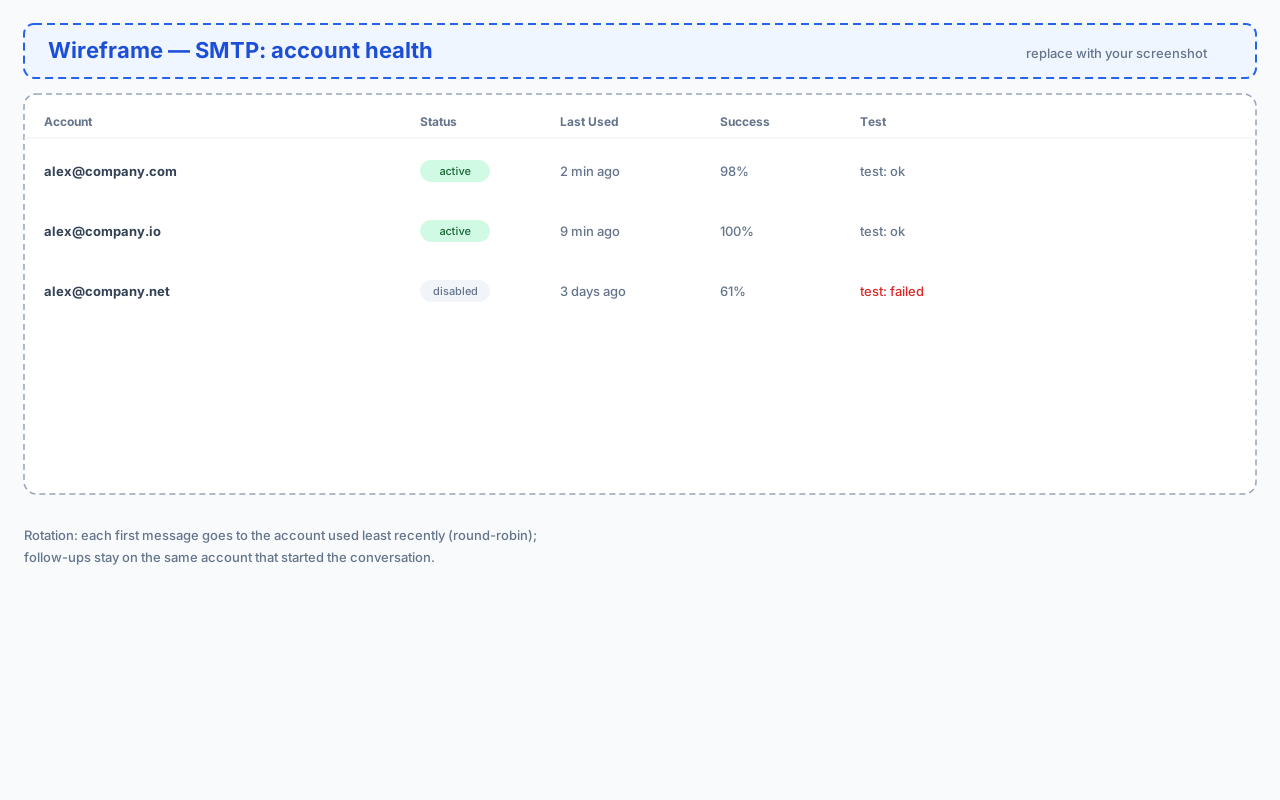
Rotation happens automatically, with a smart rule: each first message is sent from the active account that was used least recently — a fair round-robin that evens the load. The important part: follow-ups always stay on the same account that started the conversation, so a thread keeps one consistent sender and looks natural to the recipient.
You don't configure anything — just add more than one active account and MailEach does the rest. Disabled accounts are skipped automatically.
Adding multiple accounts
Add a second (or third, or fourth) account exactly like the first — see our connecting your SMTP account guide. Two to four healthy accounts is the sweet spot for most senders: enough spread to protect you, few enough to manage easily. Each account can be a different provider or several mailboxes on the same domain.
Monitoring account health
The accounts list shows the numbers that matter:
- Status — active or disabled.
- Last used — when the account last sent.
- Success — its recent send success rate.
- Test — the last live connection check result.
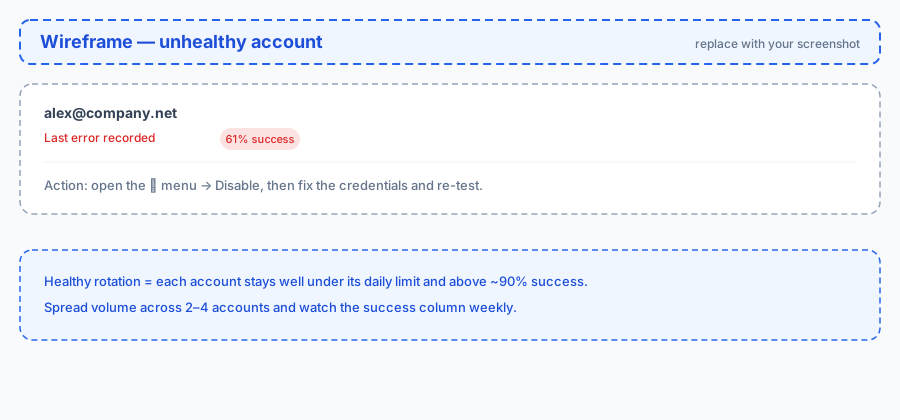
A falling success rate or a "Last error recorded" warning usually means bad credentials or a provider block. Act early: disable the account, fix it, and re-test before it drags down your campaigns.
Spreading volume across accounts
Rotation is automatic, but your sending pace shapes how fast each account accumulates volume. A slower, steady pace keeps every account comfortably under its provider's limits. Check your plan for how many accounts you can add, and let the pace settings (workspace default or per-campaign) spread the load over hours instead of minutes.
Sending pace and warm-up
New accounts need a warm-up: start with low volume and increase gradually over two to three weeks. MailEach's minimum pacing helps here — the platform enforces a floor so nobody can blast. Combined with natural spintax variation and clean lists, warm accounts stay out of the spam folder.
Protecting your reputation
- Send only to verified, opted-in addresses.
- Let suppression work — unsubscribes and complaints are excluded automatically.
- Watch bounce rates in Analytics; rising bounces mean stale data.
- Disable, never delete, a misbehaving account until it's fixed.
Frequently asked questions
Does rotation hurt thread consistency?
No. Follow-ups are pinned to the account that sent the first message, so each conversation has one sender from start to finish.
What happens when one account fails?
The failed send is recorded and the engine moves on to the next recipient. The account shows a last-error warning so you can fix it.
How many accounts should I use?
Two to four active accounts is a good default. More accounts mean more spread, but also more credentials to maintain.
Next steps
To see whether your mail lands in the inbox or spam, set up the Inbox Monitor — seed addresses that watch your placement.