How to build your first email sequence in MailEach
A sequence is a chain of emails that MailEach sends automatically — a first message followed by timed follow-ups. This guide walks through building one from scratch. What is a sequence? A sequence…
A sequence is a chain of emails that MailEach sends automatically — a first message followed by timed follow-ups. This guide walks through building one from scratch.
What is a sequence?
A sequence has one initial email and as many follow-ups as you like. Each follow-up is sent a set number of days after the previous step, and everything stops automatically the moment the recipient replies. That means your follow-ups only reach people who haven't responded yet.
Creating a new sequence
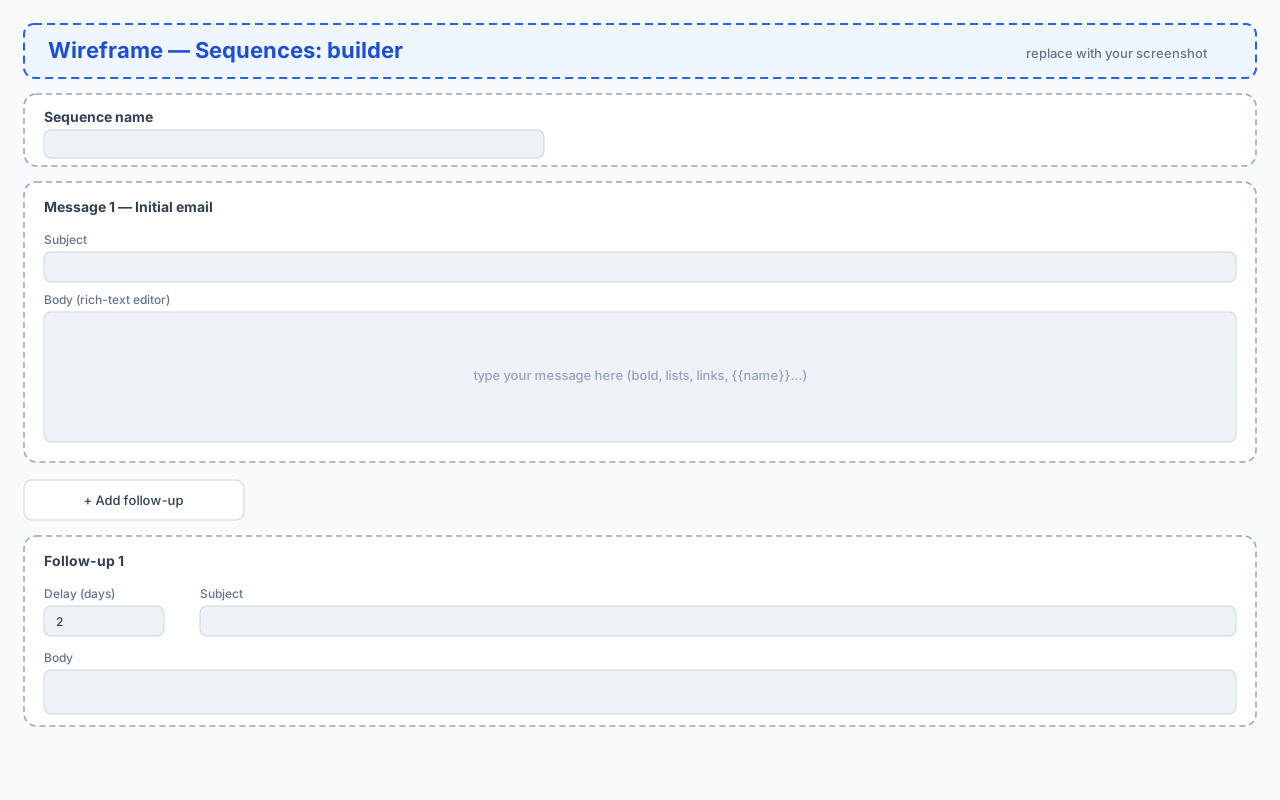
Open Sequences and give your sequence a name that describes its purpose (for example "Cold intro — SaaS"). The name helps you pick the right sequence when you launch a campaign.
Writing the initial email
The first block is Message 1. Write a Subject and the Body of your opening email. Keep it short and specific — this is the message most people will see first.
Adding automated follow-ups
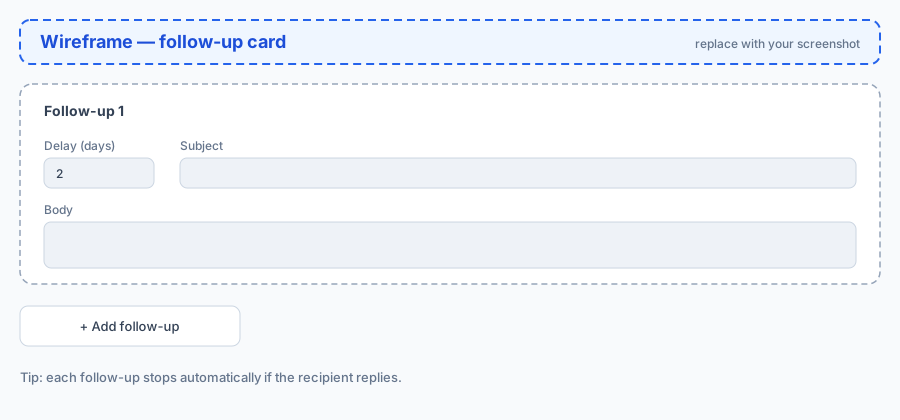
Click + Add follow-up to add the next step. Each follow-up has its own subject, body, and a delay in days.
Setting the delay
The delay controls how many days MailEach waits after the previous step before sending. A common cadence is 2–3 days between touchpoints, but you can space them further for a gentler follow-up.
Formatting with the rich-text editor
The body editor supports bold, italics, lists, links, images, alignment and text colour — everything you need to write a clean, readable email. You can also paste HTML directly.
Inserting merge tags
Use merge tags to personalise each message: {{name}} becomes the recipient's name and {{email}} their address at send time. Pick them from the Tags menu in the editor toolbar.
Saving your sequence
When you're happy, click Create sequence. You can edit it later from Sequences → Manage sequences, and any campaign using it will pick up your changes on its next send.
Next steps
Once your sequence exists, learn how to vary the wording with spintax in our Spintax & personalization guide, then attach it to a campaign.