Spintax and personalization: write one email, send a hundred variations
If every recipient gets word-for-word the same email, spam filters notice — and so do people. MailEach has two tools that fix this: spintax , which varies your wording, and merge tags , which fill in…
If every recipient gets word-for-word the same email, spam filters notice — and so do people. MailEach has two tools that fix this: spintax, which varies your wording, and merge tags, which fill in each recipient's own details. Together they make one sequence feel like a hundred handwritten messages.
What is spintax?
Spintax (spinning syntax) lets you write several alternatives inside curly braces, separated by pipes. When MailEach sends the email, it picks one option at random for each recipient — so the same sequence produces slightly different messages every time.
{Hello|Hi}That single line becomes either "Hello" or "Hi". It's a small difference, but across hundreds of sends it breaks the identical-message pattern that hurts deliverability and reply rates.
Spintax syntax
The basic form is a set of alternatives wrapped in braces and separated by |.
{Hi there|Good morning|Hello}You can place more than one group in the same sentence — MailEach combines them, so the number of possible outputs multiplies.
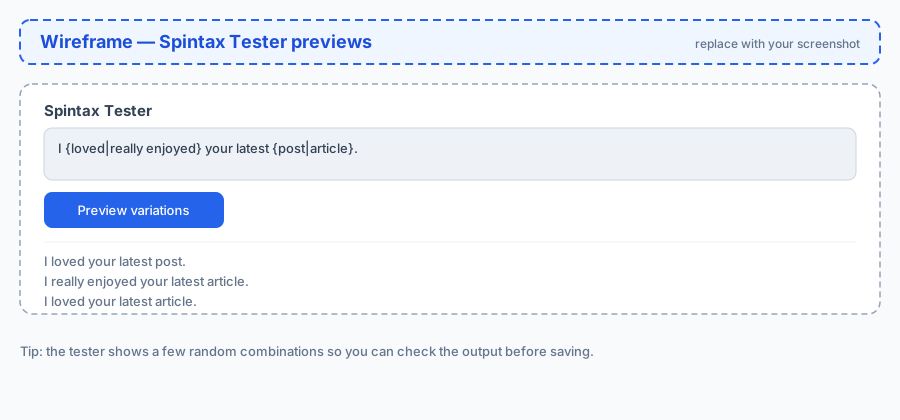
I {loved|really enjoyed} your latest {post|article} on {topic|this subject}.That one sentence can render as several different combinations, each still grammatically natural. Use a few groups per email; you don't need dozens.
Testing your spintax
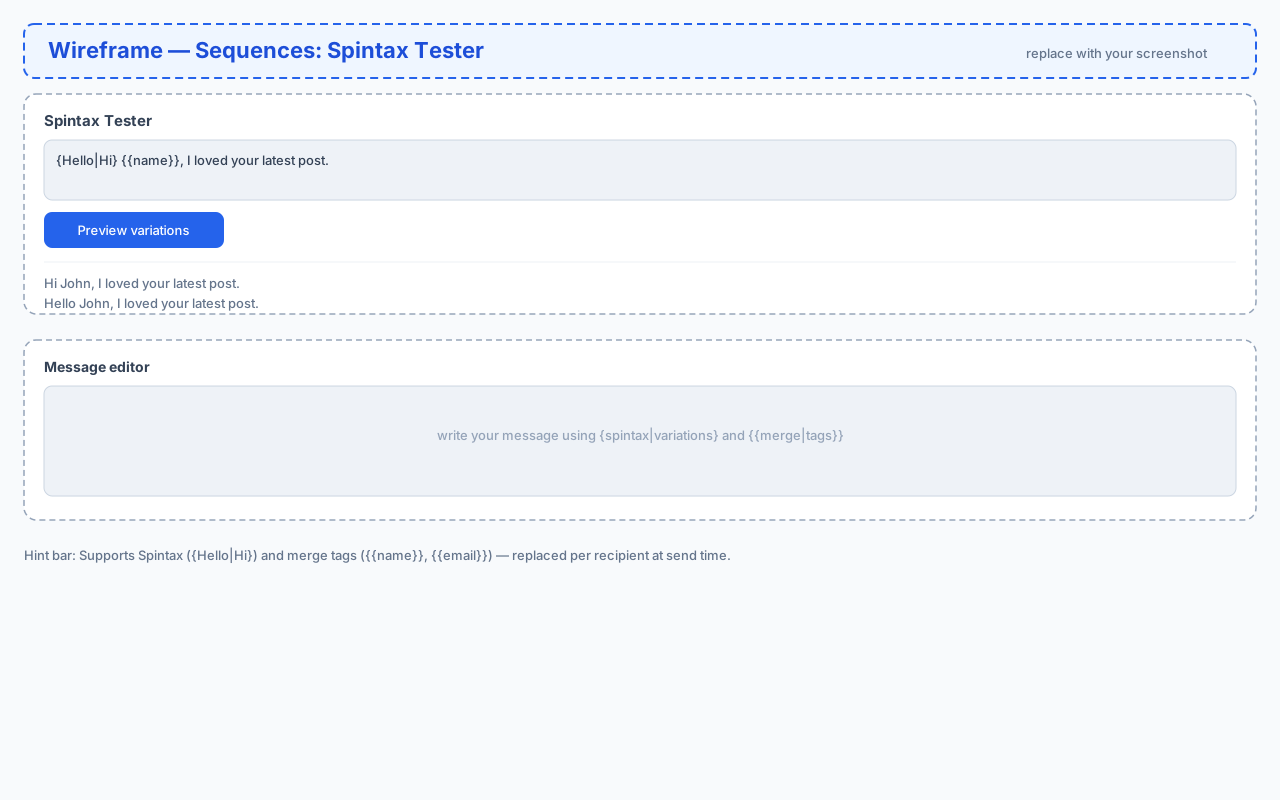
The Spintax Tester at the top of the Sequences page lets you paste any text and preview a few random combinations before you commit. This catches unbalanced braces and awkward wordings early.
Type or paste your spintax, click Preview variations, and read the samples. If a combination reads oddly, adjust the wording or the alternatives until every option sounds natural.
Where you can use spintax
Spintax works in both the subject line and the body of every step in a sequence. Varying the subject is especially useful — a rotating subject line is one of the simplest ways to keep open rates healthy across a large list.
Personalization with merge tags
Merge tags insert recipient-specific data at send time. MailEach supports:
{{name}}— the recipient's name.{{email}}— the recipient's email address.- Custom tags from your newsletter fields — for example
{{phone}}or{{company}}, if you've collected those fields.
Use them naturally: "Hi {{name}}, I noticed {{company}} is hiring." becomes a real, personalized line for each recipient.
Spintax and merge tags together
The two tools combine cleanly. MailEach fills merge tags first, then resolves spintax, so you can write lines like:
Hi {{name}}, {congrats on|nice work with} the {launch|release}!Each recipient gets a personalized greeting and a slightly different compliment — the closest thing to a hand-written note at scale.
Example: a full personalized opener
Here's a short opener that uses both features together:
{Hey|Hi} {{name}},

I {came across|found} {{company}} while researching {your space|companies like yours} and was {impressed by|really interested in} {your recent launch|what you're building}.

{Would you be open to|Could I grab} 15 minutes {next week|this week} to {compare notes|chat}?

— Alex
Every recipient sees a slightly different message, each one personal and specific.
Best practices and common mistakes
- Keep alternatives natural. Every option must read correctly on its own — avoid spintax that only works in one combination.
- Balance your braces. The tester flags unmatched
{or}; a stray brace breaks the whole message. - Don't over-spin. Two to four groups per email is plenty. Over-spinning makes copy sound robotic.
- Personalize the greeting.
{{name}}in the first line is the highest-impact personalization you can add. - Test before sending. Always preview a few variations so an awkward combination never reaches a real recipient.
Frequently asked questions
Does spintax hurt deliverability?
No — done well it helps. Identical messages across many recipients are a spam signal, so natural variation keeps your mail out of the bulk folder.
Can I use spintax in the subject line?
Yes. A rotating subject line is one of the easiest ways to keep open rates healthy across a large list.
What happens if a merge tag has no value?
If a recipient is missing the data for a tag (for example no name), MailEach leaves a sensible fallback rather than showing the raw tag in the sent email.
Next steps
With your sequence written and varied, you're ready to attach it to a campaign. See our Campaigns guides to launch it.